What It Does
Each plan includes everything in the one before it, and the add-ons work with any plan. If you'd rather see it as a table, compare the plans.
Free
What every plan starts with. No card and no time limit.
Pricing From the Work
Every line is the hours it takes, at your rate, adjusted for how messy the books are. The client with 400 transactions and three loans doesn't pay what the client with one checking account pays.
Free uses the Simple view, a short list of the services most monthly clients need.
Set your rate, your minimum and your rounding once on My Firm, and every new client starts from them.
The Fee, What You Keep and the Proposal
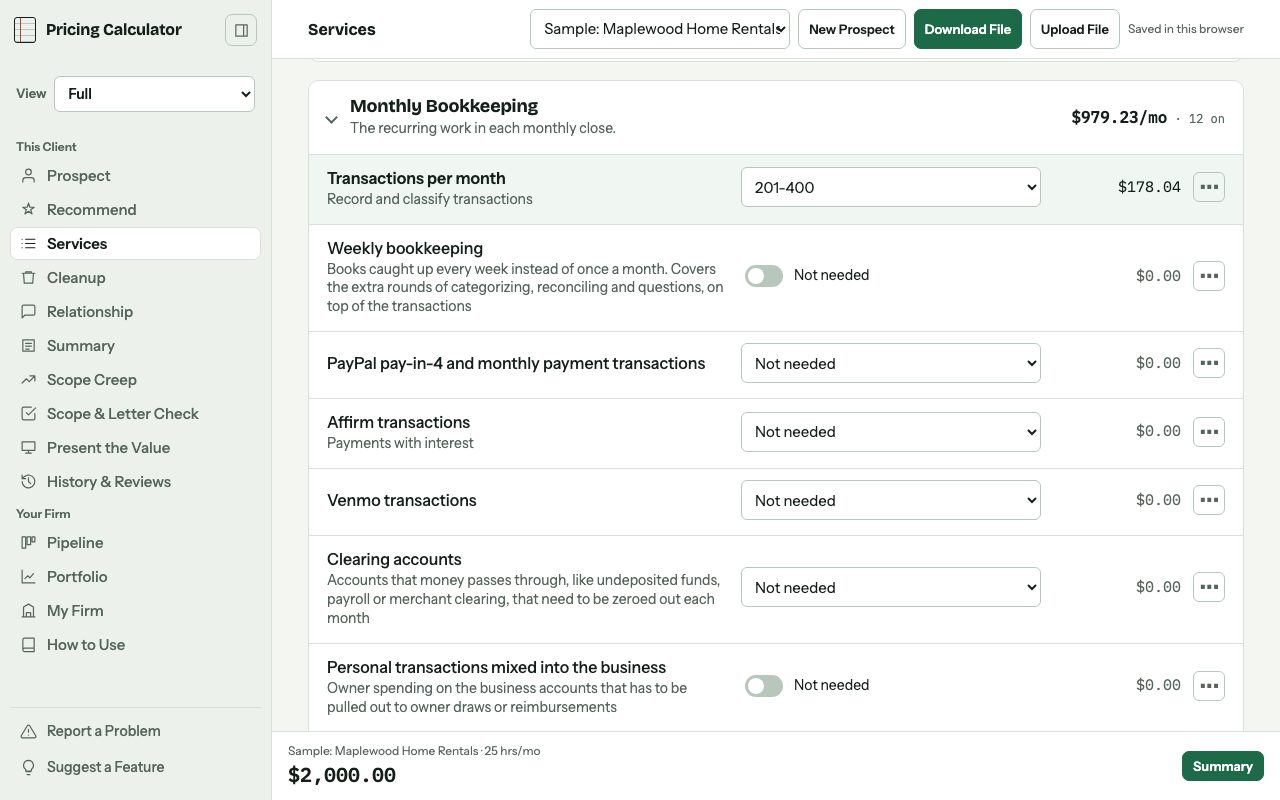
The Summary shows the monthly fee, the one-time fee and what you keep after software and your time. If a client works out to less than your hourly rate, it tells you.
Your scope of work is written for you, including what's not included. Print it, save it as a PDF or download a Word file you can edit, with your logo, colors and fonts on it.
Cleanup and Catch-Up
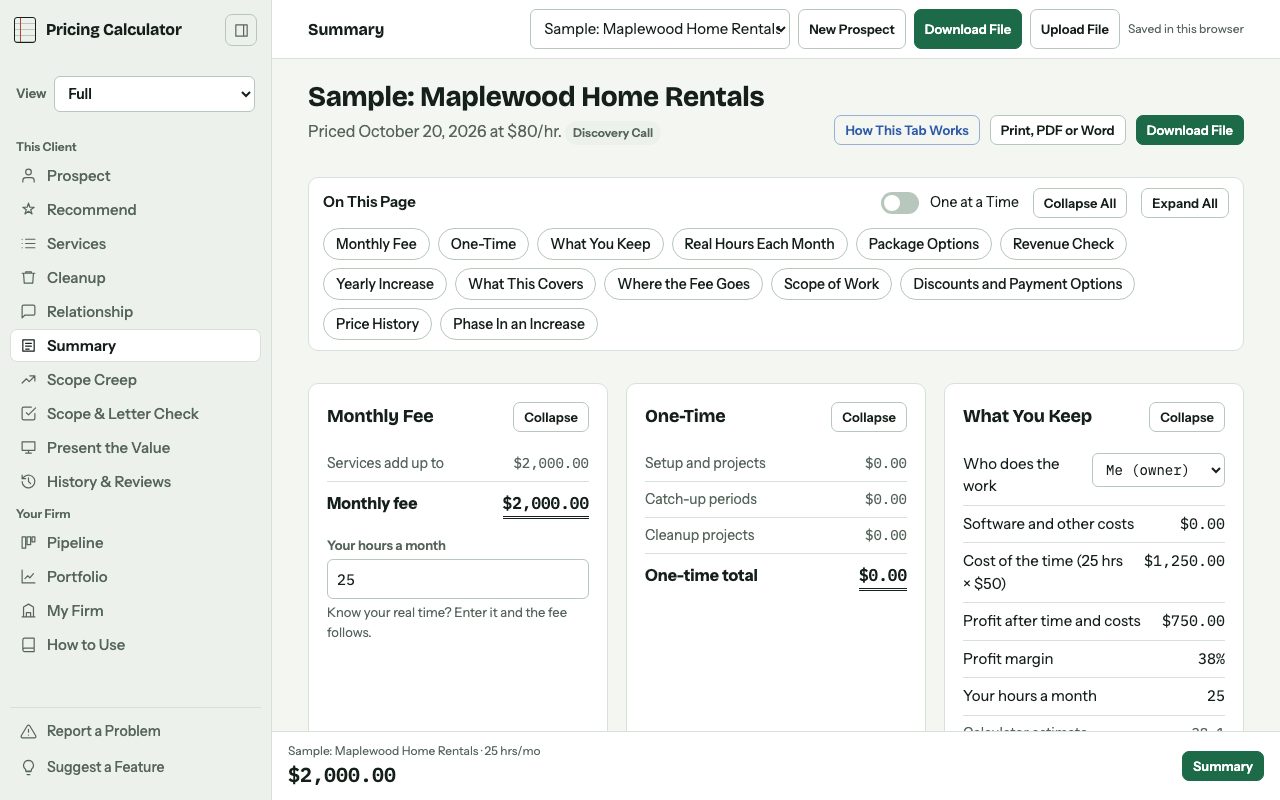
Catch-up months are priced off the monthly fee. Cleanup projects get their own price, by the hour or flat.
Cleanup stays separate from the monthly fee on the proposal, so the client doesn't think it's forever.
CFO and Controller Basics
CFO and controller work bills at its own rate, separate from your bookkeeping rate.
Free includes CFO or controller hours each month, a controller review of the close before reports go out, and a monthly financial review with the owner.
Paid Partly in Trade
When a client pays part of the price in their own services, both sides are valued at their normal rates.
Log what you've received against what's due, and start from an agreement draft.
Your Rate, Your Minimum and What Your Time Costs
A short tour walks you through setting up My Firm. Work out what an hour of your time really costs from your take-home pay, business costs and taxes, and set a minimum that covers it.
Portfolio
Every client side by side, with revenue, hours against what you can take on, and what you're really making per hour.
A Sample Client
One is already filled in, so you can try things before you price a real client.
Refer and Earn
Share your link with other bookkeepers. You earn 10% of what each person you refer pays, before sales tax, for their first 12 months.
Each payment waits 30 days in case of a refund, and payouts go out each quarter once you're owed at least $25.
Your Account Stays Yours
Turn on two-step sign-in with an authenticator app, and you're signed out after 30 minutes without activity.
Each account reads only its own clients. On a shared computer, the next person to sign in can't see yours.
Saved in Your Browser
On Free, clients stay in the browser on the computer you used. Download a file to keep each one, and they come with you if you move up.
Built for Everyone
It works with a keyboard, a screen reader and the page zoomed way in. Light and dark mode follow your device.
Standard
$19 a month or $190 a year, with a 7-day free trial. Everything in Free, plus:
Discounts and a Way to Pay
Take a percent or a dollar amount off, every month or just the first few. The reason prints on the proposal.
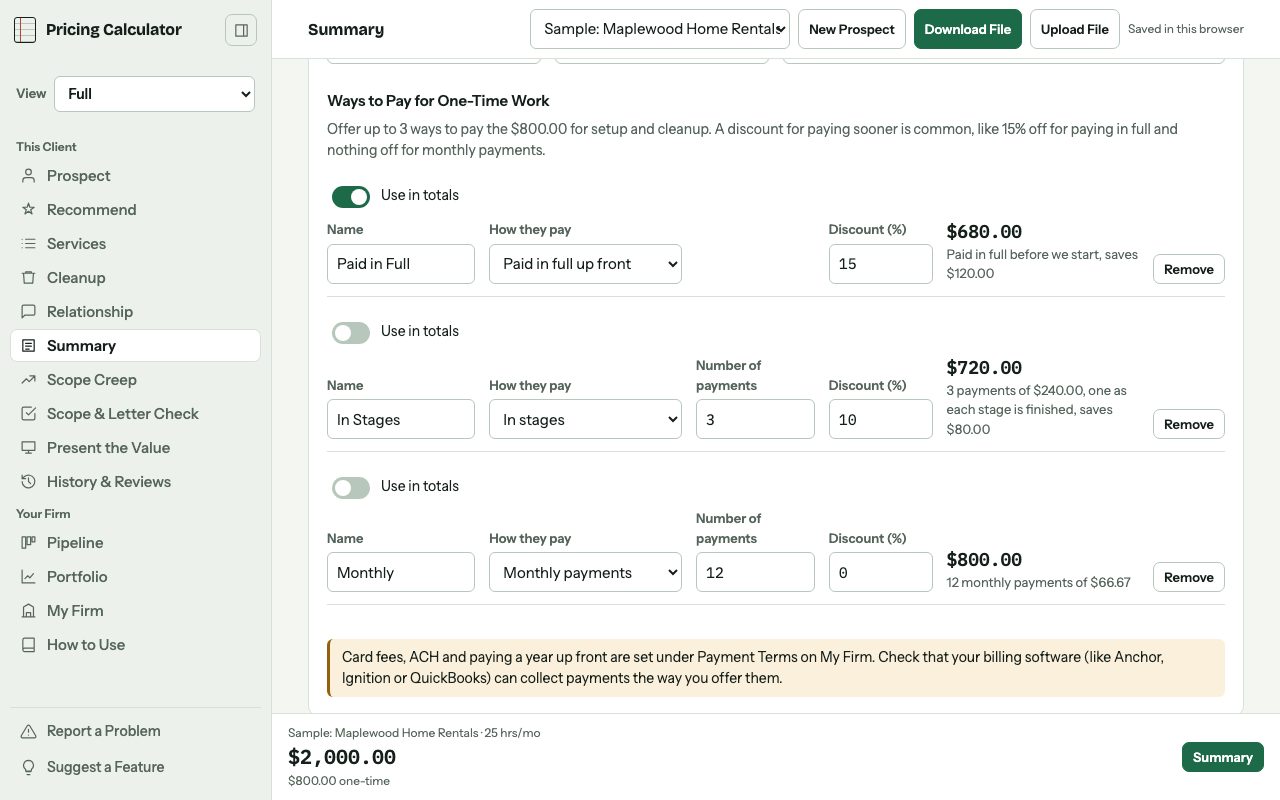
For cleanup, offer a way to pay: in full up front, a deposit and the rest when it's done, in stages, or monthly. That can carry its own discount.
Packages
Build up to four versions of the price side by side, each with its own services, discounts and way to pay. Mark the one you recommend.
Each package shows what it does to their cash flow, and whichever one they pick becomes the price.
Diagnostic Review Checklist
A checklist for your first real look at the books, in the order you'd work through them.
Whatever needs work turns into cleanup projects, and the findings go into a report you can hand the owner.
The Standard View and Your Own Lines
Every line a typical bookkeeping client needs, plus your own lines for work that isn't on the list. 1099s are priced per form.
CFO and Controller
The full CFO and Controller section, still at your CFO rate. That covers internal controls, accounting policies and a close checklist, overseeing their bookkeeper, board meeting prep and the bank relationship.
Saved to Your Account
Your clients save to your own account, so you can open them on any computer. Nobody else can see them, and nothing gets sold.
How the Client Works With You
Two clients can have the same books and be completely different work. One emails once a month. The other texts at 9 p.m.
Price the meetings, the channels and how fast they expect an answer, and put your boundaries in the scope up front.
Scope Creep
Save the scope they signed, and anything added after that shows up on its own.
Log the extra asks with the date and what each one is worth. When it's time to raise the price, the list is ready.
History, Versions and Real Hours
Every saved price and version is kept, with a reminder for when to look at the scope again. Compare up to three versions of a client side by side.
Import a CSV from your time tracker to see which clients take more time than you priced in.
Full
$39 a month or $390 a year. Everything in Standard, plus:
Recommend
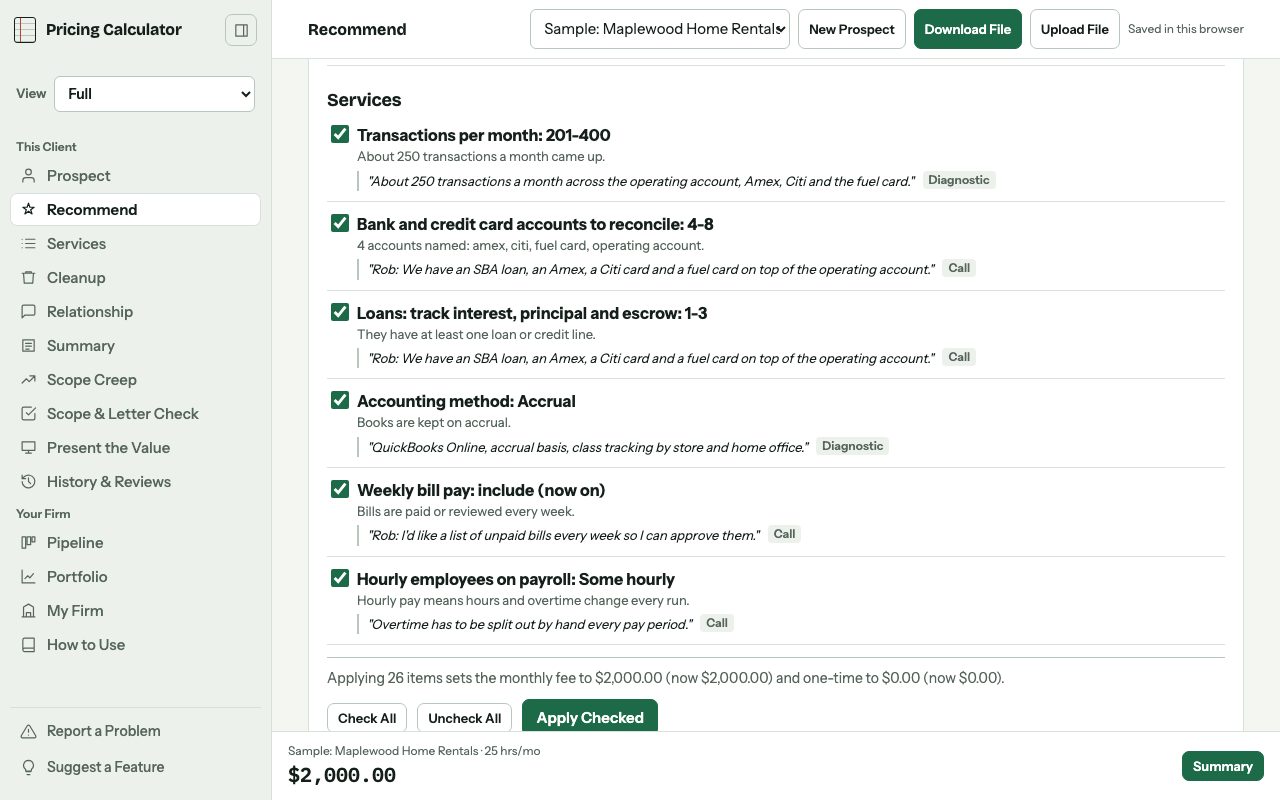
Upload the intake form, the discovery call transcript and your diagnostic notes. It fills in the prospect and suggests what to turn on, with the quote each suggestion came from.
Use the built-in quick scan, or connect your own AI account (Claude, ChatGPT, Gemini or Llama) for a closer read. You approve every suggestion before it changes anything.
Pipeline, Referrals and Zapier
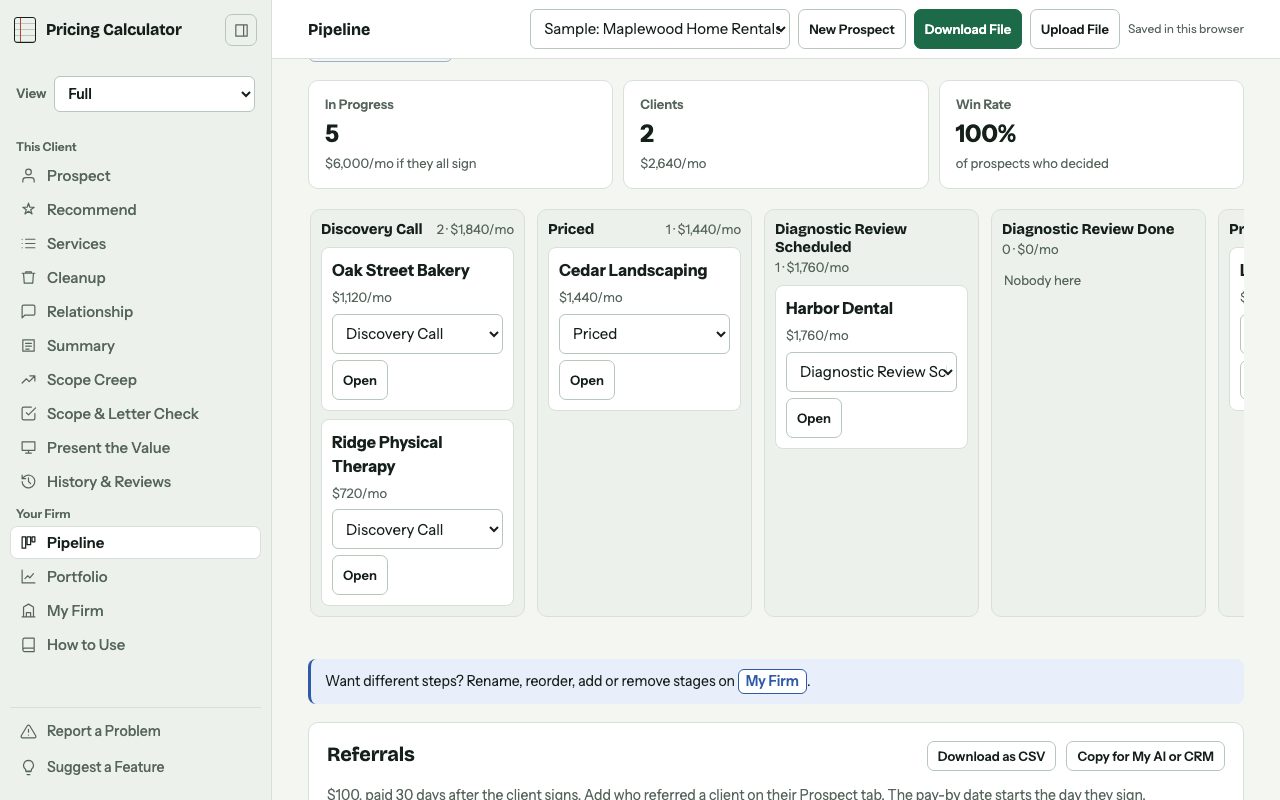
Every prospect by stage, from the discovery call to signed, with stages you name yourself.
Track who referred each client, what you owe them and when to pay it, counted from the day they sign. If your intake form tool works with Zapier, connect it once and new submissions land in the pipeline on their own. Typeform, Jotform and Google Forms are a few that do, so check yours first. The Zapier step this uses needs a paid Zapier plan.
Present the Value
Talking points built from what the client told you they want fixed and what it's costing them now.
Then slides you can present from the browser, save as a PDF or download as a PowerPoint with your branding.
Entities
For a client with more than one company, each entity gets its own scope and price, plus the intercompany work between them and one combined total.
Reviewing Staff Work and Training
When their own bookkeeper does the work and you check behind them, that review bills at its own rate, a percent above the client's hourly rate.
Training, from one-on-one sessions to SOPs and videos, bills at your training rate. Give a client a higher rate and both go up with it.
Diagnostic Review From Your Notes
Fill the checklist from your own review notes, or use the Claude skill or a prompt for any AI that walks you through the review.
Present what you found as branded slides, or download it as Word or PowerPoint.
CFO Strategy and Projects
The bigger CFO work: a three-statement financial model, the annual plan, scenario planning and profitability by location, product or customer.
Plus raising money from investors or lenders, buying or selling a business, a finance systems review and hiring a finance team.
Up to 3 Ways to Pay
Put up to three ways to pay side by side on the proposal, like 15% off paid in full, 10% off in stages and nothing off monthly.
Scope and Letter Check
Paste in your scope of work or engagement letter. It shows what strong ones usually cover that yours doesn't, and checks your price against what the letter promises.
It isn't legal advice. Have an attorney in your state look at your letter.
Send to Anchor
Builds the proposal as a draft in Anchor through Claude, with billing, discounts and packages already set up. You look it over in Anchor before anything goes out.
The Full View and Your Own Industries
Every line and every control, including nonprofit, industry, dashboard and advisory work. Add the industries you serve and their lines, saved to your account for every client.
A Full Backup
Download every client and your settings in one file, and restore it all in one step.
Sales Calls Add-Ons
$9 a month ($90 a year), or $15 a month ($150 a year) to connect your own AI. On any plan, Free included. On Full, the $9 add-on includes the AI connection.
Build Your Process
Answer a few questions about how you sell: how you feel about sales calls, how you want to come across, and whether you price on the call or after a diagnostic review. If you're not sure about that last one, it helps you think it through.
Then it fills in your process from booking to signed, with an agenda that fits your call length. Change anything that doesn't sound like you.
Your Intake Form and Questions
Pick the intake questions for your niche, each one tied to what it helps you price, and copy them into your booking form.
Keep your discovery questions in one place, along with how you answer things like "I need to think about it."
Call Review
Upload a transcript and get a scorecard: how much you talked, how many questions you asked, when price came up and whether you booked a next step.
Your scores over time show what's getting better. Only record a call when everyone on it agrees.
Connect Your AI
Connect your own AI account and it coaches you on each call: what went well, where you missed a moment, what to ask next time, and a draft of the follow-up email.
It can also write intake questions for your niche and rewrite your steps to sound like you. It runs on your AI account and bills to you.
Tax Add-On
$5 a month or $50 a year, on any plan.
Tax Prep and Planning
Tax prep and planning, priced per return and per form, the way tax pros price it. Spread it into the monthly fee if the client pays monthly.
Start With the Sample Client
It's already filled in, so you can try it before you price a real client.
Start Free